01
Who we help
Small businesses, churches, nonprofits, professional offices, and local organizations that need dependable technology support.
Reboot Technology helps local businesses, churches, and organizations keep their systems secure, connected, and running smoothly without the cost of a full-time IT department.
Support style
Remote and onsite
Primary focus
Small organizations
Approach
Plainspoken and practical
01
Small businesses, churches, nonprofits, professional offices, and local organizations that need dependable technology support.
02
Remote support when it is efficient, onsite help when it is needed, and recommendations shaped around real operating needs.
03
Managed IT, Microsoft 365, networking, cloud systems, backups, and practical security improvements.
Service Highlights
Reboot Technology focuses on right-sized support that helps organizations stay secure, connected, and easier to manage over time.
Ongoing support, maintenance, troubleshooting, and planning for organizations that need dependable help without a full-time IT department.
Administration and support across email, Teams, SharePoint, OneDrive, security settings, licensing, and user management.
Practical network design, troubleshooting, and support for offices, churches, and growing organizations.
Guidance for AWS, Azure, automation, migrations, hybrid environments, and right-sized infrastructure decisions.
Clear, practical security improvements that strengthen day-to-day operations without unnecessary complexity.
Backup planning, recovery testing, and business continuity support built for small organizations.
Why Reboot Technology
Technology decisions should help the organization run better, communicate clearly, and reduce avoidable risk. That is the standard behind the work.
Recommendations are based on what fits the organization, not on pushing oversized tools or unnecessary projects.
Problems, tradeoffs, and next steps are explained in plain language so decisions stay understandable.
Reboot Technology is built for local businesses and organizations that value responsive help and long-term relationships.
Networking, cloud, Microsoft 365, servers, backups, and business systems are approached as one connected environment.
Advice stays grounded in uptime, security, staff productivity, and budget rather than abstract technology trends.
Who We Help
From small offices to growing multi-location environments, the focus stays on practical support and sustainable systems.
From the Blog
Practical notes on security, backups, and keeping everyday systems running.
View all posts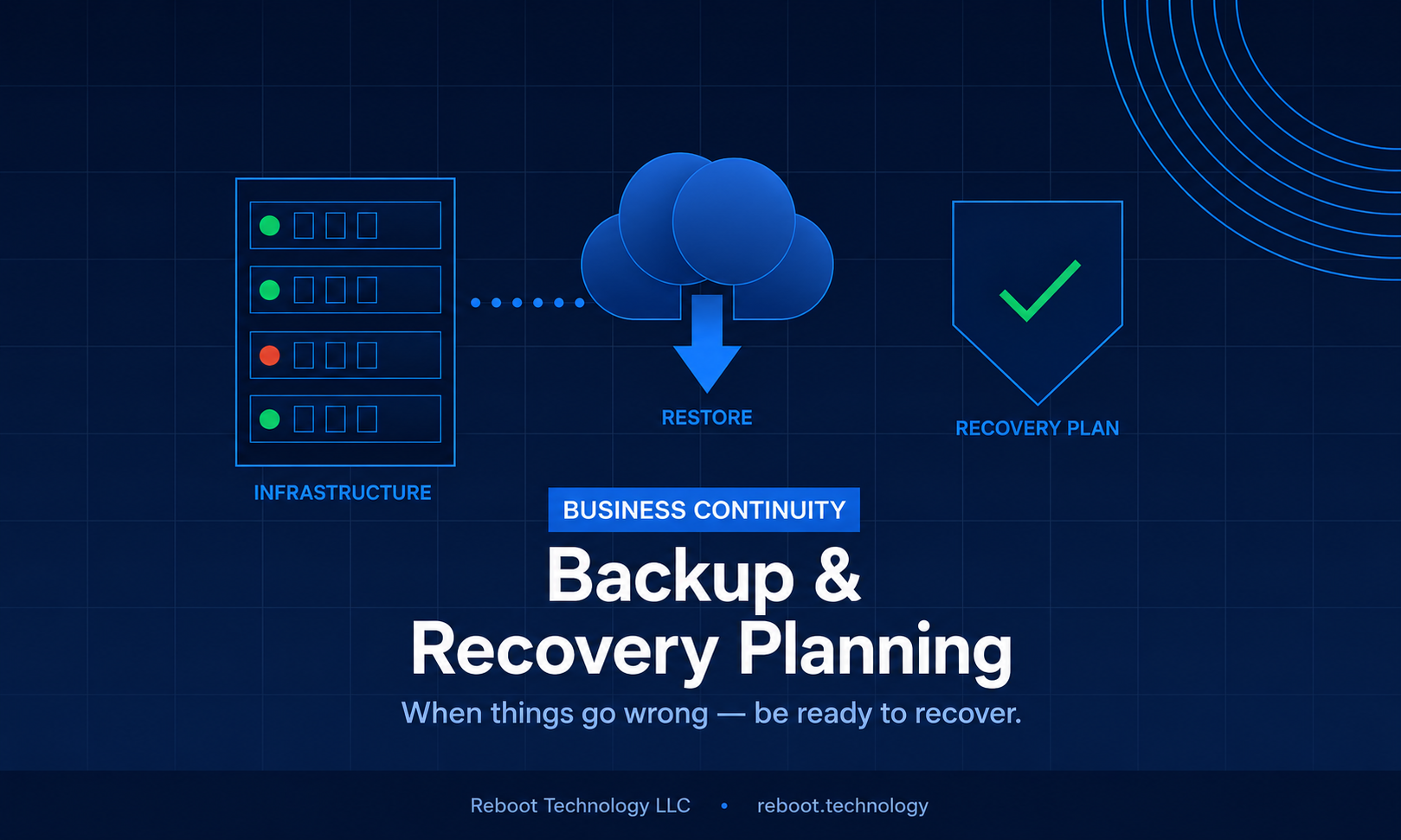
We recently got an alert that a client's main router had gone offline, but their network was running fine the whole time. Below is what was really going on and how we fixed it, and then why I think recovery planning covers a lot more than file backups. What Happened The alert came from our monitoring and said the client's primary network router had gone offline. That's not an alert anyone likes to see. However, when we looked at the site, everything was still running. Traffic was flowing, employees could work, and internet access never dropped. So if the network was fine, what was actually broken? The problem was in the router's management layer. That's the software IT staff use to configure, monitor and maintain the device, and it had stopped responding. The network itself was healthy, we just couldn't manage it or make any changes to it. The network management application had recently installed an automatic update. We worked through the standard troubleshooting steps and none of them fixed it, and there was no specific log entry or error pointing at the cause. So I decided to roll back the update, putting the application back on the previous version we knew was good. Full management access came right back. The underlying infrastructure had never failed at all, it only looked that way. I think the lesson here is that a system that looks broken isn't always broken in the way you think, so you diagnose before you act. If the plan had been to treat the router as dead and reset it, a network that was working fine would have ended up with a real outage. Recovery Is More Than File Backups When most people hear "backup and recovery" they think of files, making sure important documents aren't lost if a hard drive dies. That absolutely matters. But recovery planning goes further than that. Recovery planning basically means being able to put systems, software and configurations back to a known working state when something goes wrong. It means being able to answer one question: if this breaks today, how do we get back to working? For network equipment, that means keeping track of which software and firmware versions are known to be stable, having configuration backups so a device can be restored or replaced quickly, knowing which version to roll back to if an update causes problems, and having the recovery steps written down so they're clear and can be repeated. Without those things, this incident could have taken a lot longer to sort out, or ended with that full device reset and an outage nobody needed. What Happens Without a Plan If nothing is written down, troubleshooting turns into improvising, and improvising is slow. Someone has to figure out what version a device was running before the last update, go hunting for configuration exports that may not exist, or wait on vendor support for answers that should already be on hand. That time costs something even when the business keeps running. Even a few hours without good management visibility is a risk. If something else had gone wrong on the network during that window, the ability to respond quickly would have been compromised. A recovery plan makes that window a lot shorter. What I Think a Good Recovery Plan Includes Every business is different, so there isn't one template for this. These are the pieces I look for. Know What You Have You can't recover what you don't know exists. Start with an accurate inventory of the hardware, software versions, firmware and configurations for the systems your business depends on. It doesn't have to be complicated. A maintained record of "what version is running on what device" is often enough to make recovery a lot faster when something breaks. Keep Configuration Backups For network equipment, servers and other infrastructure, I believe configuration backups are just as important as data backups. If a device fails or needs to be replaced, a current configuration export means restoring it takes minutes instead of hours. Many network management platforms can back up configurations automatically on a schedule. If yours doesn't, that's worth fixing. Test That You Can Actually Recover How do you know a backup works if you've never restored from it? You don't. A backup that has never been tested is one you can't fully trust, and recovery steps nobody has practiced take longer and add risk when you're doing them under pressure. Checking now and then that backups are complete and that the steps actually work is pretty basic, and it's also one of the things that gets skipped the most. Write the Steps Down The person fixing something isn't always the person who set it up. Written runbooks, even simple ones, keep recovery steps consistent and keep the know-how from living only in one person's head (and that person is always on vacation the day it breaks). Keep a Way to Roll Back Software updates are one of the most common reasons an otherwise stable system starts acting strange. Vendors release updates with good intentions, but bugs and compatibility issues happen. That's exactly what happened here, with an automatic update, and rolling back is what got us out of trouble. Wherever you can, keep the ability to roll software or firmware back to a previous version. That might mean keeping copies of older installers, learning how your platform's rollback feature works, or trying updates in a test environment before pushing them to production systems. Where to Start This one ended well. Business never stopped, and the management problem was found and fixed quickly. I don't think that was luck. We had the information and the rollback option ready when we needed them. Recovery planning isn't only for big companies with big IT budgets. Small and mid-sized businesses depend on their technology just as much, and without the resources to absorb it, a long stretch of downtime can hurt them even more. If you don't have recovery steps written down, configuration backups, or a plan for when an important system fails, I'd start with the inventory and build from there. Reboot Technology helps businesses in the greater Milwaukee area with exactly this. Whether you're starting from nothing or tightening up what you already have, reach out and we'll help you put together a recovery plan that fits your setup.

Henry Mohn
Owner, Reboot Technology LLC
19 Jun, 2026
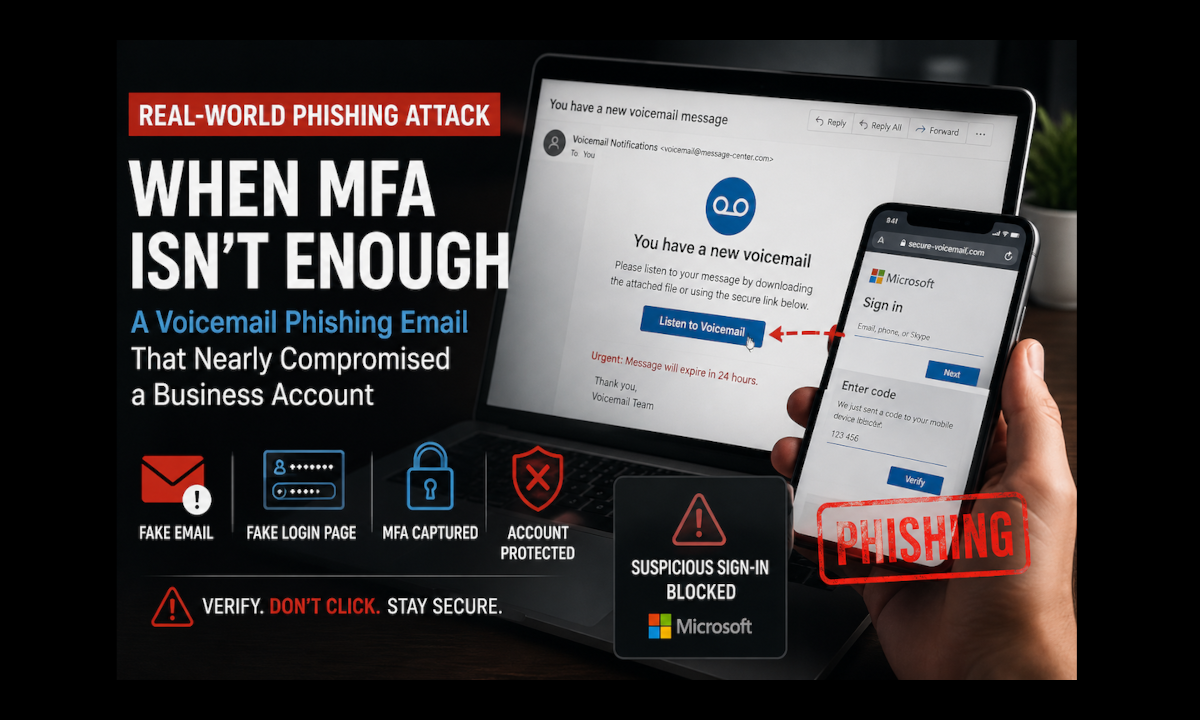
This post walks through a phishing attack on one of our clients that started with a fake voicemail email and got past both Microsoft 365's filtering and the user's Multi-Factor Authentication (MFA). I'll go through how it worked, what we did once the user reported it, and what I think businesses should take away from it. The Email The client got an email saying they had a voicemail message waiting to be downloaded. It looked legitimate enough that nothing jumped out right away, and it made it through Microsoft's built-in phishing filtering in Microsoft 365. Why a voicemail? Voicemail notifications are familiar and routine, and most business users expect to get them, so nobody thinks twice. The email also tried to create some urgency by telling the user there was a voicemail waiting for them to review. The user clicked the link and landed on a fake login page made to look like the normal Microsoft sign-in. How It Got Past MFA A quick definition first. MFA means signing in takes more than your password. After the password you also have to approve a prompt or enter a temporary code, so a stolen password on its own isn't enough to get in. The user entered their password on the fake page and then completed the MFA challenge too. So how does a fake page get past MFA? This kind of attack is called "adversary-in-the-middle", sometimes just "MFA phishing". The fake page sits in the middle between the user and the real Microsoft sign-in, and passes everything through to the legitimate service in real time. The user types their password, the fake page hands it to Microsoft. Microsoft asks for MFA, the user approves it, and now the attacker has the password and the signed-in session that MFA just approved. Modern phishing kits are built specifically to do this. Now, MFA is still extremely important and should be turned on for every business account. It blocks the overwhelming majority of automated attacks and password reuse attempts. It just isn't bulletproof, and attacks like this one go after the signed-in session instead of only the password. Fortunately, right after signing in, the user just started feeling like something wasn't right. There wasn't anything specific that tipped her off, but she trusted that feeling and contacted us right away. I think that was the most important thing that happened in this whole incident. What We Did Because it was caught quickly, we were able to act before the attackers got any meaningful access. First, the account was disabled to stop any active session activity while we looked into it. Next we went through the login and audit logs to see whether there had been any unauthorized access attempts. During that review we found that Microsoft had already detected and blocked several suspicious sign-in attempts tied to the compromised session, which was nice to see. Then we revoked the existing sessions and signed the user out everywhere, on every device. I think this is the step that matters most for this kind of attack. What the attacker stole was a signed-in session, and revoking it makes that stolen authentication token useless. Last, we reset the password and did some extra verification steps to make sure the account was fully secured before turning it back on. Why Filtering Didn't Catch It This email made it through Microsoft 365's phishing and spam protections, and those security checks were set up properly. That's frustrating, but no email filtering system is perfect. Attackers keep changing their domains, wording, formatting and how they deliver these messages so they can slip past detection. Businesses should absolutely still use good email filtering and phishing protection tools. I just don't believe the technical tools alone will ever take the risk away completely, which means a person looking carefully at the email still counts for a lot. What I'd Tell Your Users Don't Sign In From a Link You Weren't Expecting Even if an email looks legitimate, try not to click login links in messages. Instead:Open a new browser window Go straight to the website you normally use Log in from there, not from the link in the emailIf the voicemail is real, it will still be there when you sign in the normal way. That one simple habit makes it a lot less likely your credentials get stolen. Report It Fast, Even If You're Not Sure This incident turned out well because the user acted quickly once something felt unusual. A lot of people hesitate because they're embarrassed or not sure it's worth bothering anyone. Please don't hesitate. Reporting suspicious activity right away gives IT the best chance to contain it before damage happens, and that can be the difference between a minor security event and a full business compromise. Worst case, we take a look and it was nothing, and I'll take that trade every time. If You Want a Second Look I believe security has to come in layers, because no single tool gets rid of the risk. Strong passwords, MFA, email filtering, endpoint protection, user training, and monitoring with a quick response all cover different gaps. In this case the email filter and MFA were both beaten, and it was the user speaking up and the fast response that stopped it. If you'd like help reviewing your Microsoft 365 security settings, phishing protections or user awareness training, Reboot Technology can look at what you have now and point out where it could be tightened up.
Henry Mohn
Owner, Reboot Technology LLC
28 May, 2026
Here to help
If your organization needs help with support, Microsoft 365, networking, or infrastructure planning, Reboot Technology can help you sort out the next step.