When MFA Isn’t Enough: A Real-World Phishing Attack Breakdown
A fake voicemail email got past Microsoft 365's filtering and a user's MFA. Here is how that happened and what we did to lock the account down.
Author
Henry Mohn
Category
Cybersecurity
Read Time
04 Mins read
Published Date
28 May, 2026
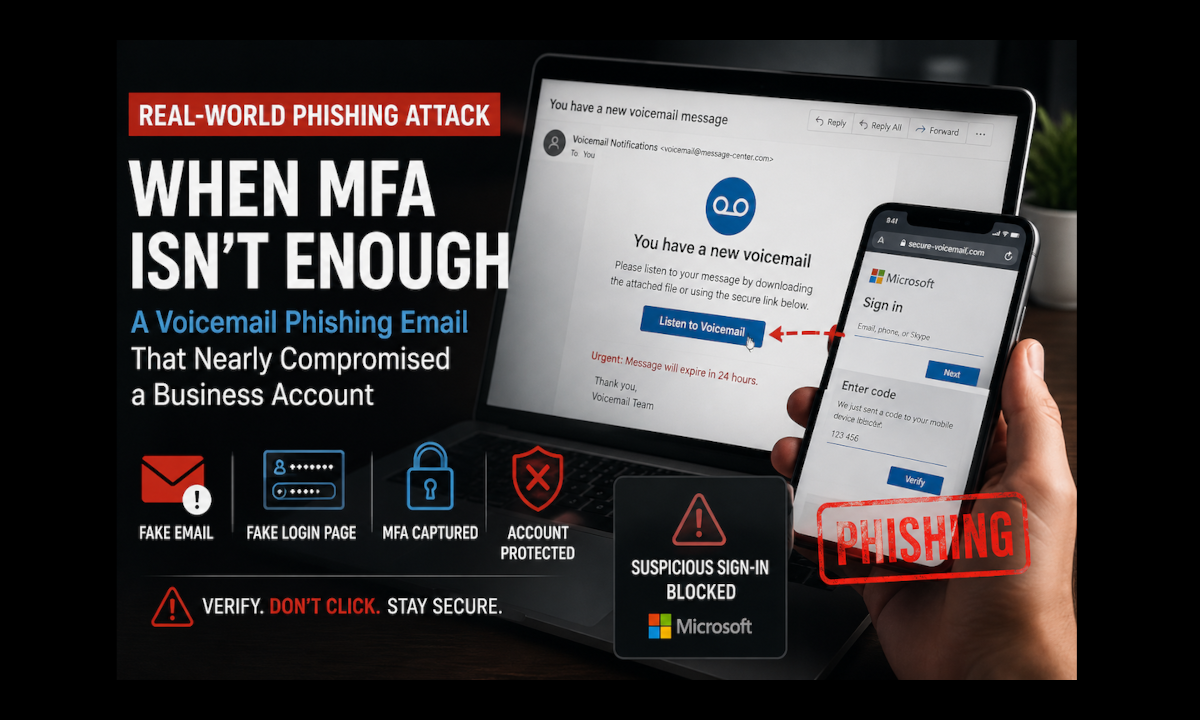
This post walks through a phishing attack on one of our clients that started with a fake voicemail email and got past both Microsoft 365’s filtering and the user’s Multi-Factor Authentication (MFA). I’ll go through how it worked, what we did once the user reported it, and what I think businesses should take away from it.
The Email
The client got an email saying they had a voicemail message waiting to be downloaded. It looked legitimate enough that nothing jumped out right away, and it made it through Microsoft’s built-in phishing filtering in Microsoft 365.
Why a voicemail? Voicemail notifications are familiar and routine, and most business users expect to get them, so nobody thinks twice. The email also tried to create some urgency by telling the user there was a voicemail waiting for them to review.
The user clicked the link and landed on a fake login page made to look like the normal Microsoft sign-in.
How It Got Past MFA
A quick definition first. MFA means signing in takes more than your password. After the password you also have to approve a prompt or enter a temporary code, so a stolen password on its own isn’t enough to get in.
The user entered their password on the fake page and then completed the MFA challenge too. So how does a fake page get past MFA? This kind of attack is called “adversary-in-the-middle”, sometimes just “MFA phishing”. The fake page sits in the middle between the user and the real Microsoft sign-in, and passes everything through to the legitimate service in real time. The user types their password, the fake page hands it to Microsoft. Microsoft asks for MFA, the user approves it, and now the attacker has the password and the signed-in session that MFA just approved. Modern phishing kits are built specifically to do this.
Now, MFA is still extremely important and should be turned on for every business account. It blocks the overwhelming majority of automated attacks and password reuse attempts. It just isn’t bulletproof, and attacks like this one go after the signed-in session instead of only the password.
Fortunately, right after signing in, the user just started feeling like something wasn’t right. There wasn’t anything specific that tipped her off, but she trusted that feeling and contacted us right away. I think that was the most important thing that happened in this whole incident.
What We Did
Because it was caught quickly, we were able to act before the attackers got any meaningful access.
First, the account was disabled to stop any active session activity while we looked into it.
Next we went through the login and audit logs to see whether there had been any unauthorized access attempts. During that review we found that Microsoft had already detected and blocked several suspicious sign-in attempts tied to the compromised session, which was nice to see.
Then we revoked the existing sessions and signed the user out everywhere, on every device. I think this is the step that matters most for this kind of attack. What the attacker stole was a signed-in session, and revoking it makes that stolen authentication token useless.
Last, we reset the password and did some extra verification steps to make sure the account was fully secured before turning it back on.
Why Filtering Didn’t Catch It
This email made it through Microsoft 365’s phishing and spam protections, and those security checks were set up properly. That’s frustrating, but no email filtering system is perfect. Attackers keep changing their domains, wording, formatting and how they deliver these messages so they can slip past detection.
Businesses should absolutely still use good email filtering and phishing protection tools. I just don’t believe the technical tools alone will ever take the risk away completely, which means a person looking carefully at the email still counts for a lot.
What I’d Tell Your Users
Don’t Sign In From a Link You Weren’t Expecting
Even if an email looks legitimate, try not to click login links in messages. Instead:
- Open a new browser window
- Go straight to the website you normally use
- Log in from there, not from the link in the email
If the voicemail is real, it will still be there when you sign in the normal way. That one simple habit makes it a lot less likely your credentials get stolen.
Report It Fast, Even If You’re Not Sure
This incident turned out well because the user acted quickly once something felt unusual. A lot of people hesitate because they’re embarrassed or not sure it’s worth bothering anyone. Please don’t hesitate. Reporting suspicious activity right away gives IT the best chance to contain it before damage happens, and that can be the difference between a minor security event and a full business compromise. Worst case, we take a look and it was nothing, and I’ll take that trade every time.
If You Want a Second Look
I believe security has to come in layers, because no single tool gets rid of the risk. Strong passwords, MFA, email filtering, endpoint protection, user training, and monitoring with a quick response all cover different gaps. In this case the email filter and MFA were both beaten, and it was the user speaking up and the fast response that stopped it.
If you’d like help reviewing your Microsoft 365 security settings, phishing protections or user awareness training, Reboot Technology can look at what you have now and point out where it could be tightened up.